Teleprompter how-to
Reading a script naturally, keeping eye contact with the lens, choosing a scroll speed and setting up any teleprompter.

 How to Read a Teleprompter NaturallyRead a teleprompter naturally: keep text near the lens in a narrow column, write in spoken phrases, control the pace yourself, and practice these five drills.
 By the TeleP team
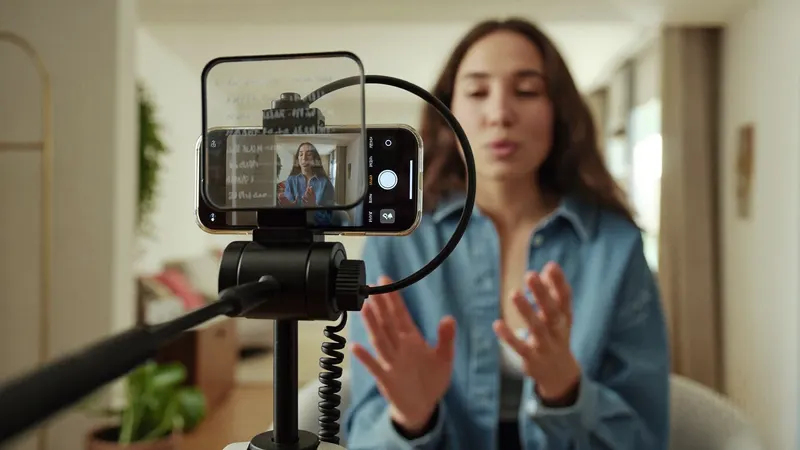 How to Use a TeleprompterHow to use a teleprompter step by step: format your script, place the screen by the lens, set scroll speed and font size, rehearse, and record a natural take.By the TeleP team
 How to Use a Teleprompter on iPadUse your iPad as a teleprompter three ways: record yourself with the front camera, prompt for a separate camera on glass, or sit it under a webcam for calls.By the TeleP team
 What Speed Should a Teleprompter Be?Set teleprompter speed to your own speaking rate, about 100–150 words per minute for presentations. Measure your WPM, convert it to a scroll setting, adjust.By the TeleP team
New to prompting? Start with the basics, then practice in the free online teleprompter. Set its speed from your own pace using the reading speed test, so the text never runs ahead of you.
Free tools
- Words to time calculatorHow long will your script take to say out loud?
- Speech length calculatorHow many words should you write for a 3, 5 or 10-minute slot?
- Speech timerPractice timer with green, yellow and red timing lights.
- Script templatesFill-in scripts for videos, speeches and presentations.
- Teleprompter script formatterClean up pasted text so it reads well on a teleprompter.
- Reading speed testMeasure your own speaking pace in words per minute.