Teleprompter for Church
 By the TeleP teamUpdated 3 min read
Quick answer
Churches can run a free browser teleprompter on any laptop, tablet or TV for sermons, announcements and livestreams. Put it on a confidence monitor at the back of the room or under the camera, set large text, and let the operator or voice-follow control the pace.
Free online teleprompter
Paste your script and read it on camera. Runs in your browser; your script is never uploaded.
Three church setups
| Setup | Speaker looks at | Best for |
|---|---|---|
| Confidence monitor | TV at back or floor | Sermons, worship leading |
| Lectern tablet | Tablet on the pulpit | Readings, announcements |
| Camera glass rig | Livestream camera lens | Online services, video messages |
Confidence monitor for the sanctuary
- Connect a laptop to a TV or monitor that the speaker can see, at the back of the room or as a floor wedge.
- Open the free online teleprompter on that laptop and paste the sermon notes.
- Turn on Go fullscreen on start and pick Yellow on black or White on black for contrast.
- Make the text large. Test it from the pulpit, not from the tech booth.
- A volunteer runs it from the booth keyboard: Space plays and pauses, the Up and Down arrows change speed by 10 wpm, and Left and Right jump back or forward.
If the speaker prefers to control it, a presentation clicker works. Each Page Down click jumps the notes forward. Leave auto-scroll paused and the notes move only when they click.
Lectern tablet for readings and announcements
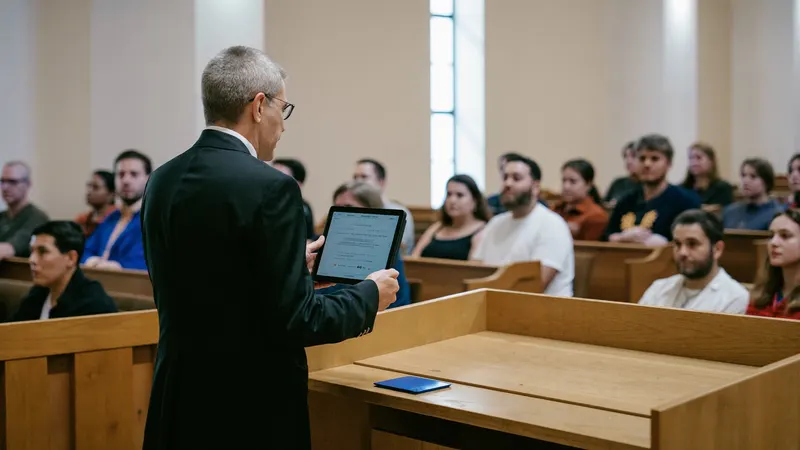
A tablet on the pulpit is quiet and needs no operator. Open the teleprompter in the browser, set the text size and speed, and use the countdown so the reader can look up and greet the congregation first. For scripture readings, paste the passage with line breaks at natural pauses.
Livestream camera with glass
For online services, the speaker can look straight into the camera with a beam-splitter rig:
- Put a tablet or small monitor flat under the glass in front of the camera.
- Open the teleprompter on it and turn on Mirror text (and Flip text upside down if it’s inverted).
- Control it from a laptop keyboard or clicker near the operator.
A DIY rig made from a picture-frame pane and a box works for small churches; see the DIY teleprompter guide.
Writing sermon notes for a prompter
- Outline, not manuscript, unless you’re recording a video devotion.
- Write scripture references in full on their own lines, so the reader doesn’t hunt.
- Short lines. Widen the margins so each line holds a few words.
- Mark transitions (“Second point”) on their own line so they’re easy to spot.
- Time it. Paste the notes into the words to time calculator to check them against your service slot.
Voice-follow in a sanctuary
Voice-follow moves the text as the speaker talks and waits when they pause. It can work for a quiet livestream studio, but in a sanctuary the music, echo and congregation can confuse it. Also note that the browser sends the audio to its speech service (Google’s in Chrome) to recognize it. For most services, a volunteer operator at a fixed speed is more reliable.
Short video messages on a phone
For weekly video announcements or social clips, an iPhone is often easier. TeleP scrolls your script next to the camera while you record. It has adjustable speed and font size, a countdown, automatic captions and layouts for Instagram, TikTok and YouTube.

Record it on your phone
TeleP scrolls your script over the iPhone camera while you record, then adds captions automatically.
Church teleprompter checklist
- Screen placed where the speaker can see it without turning away
- Text size checked from the pulpit
- High-contrast colors and fullscreen on
- Operator or clicker assigned before the service
- Notes timed against the service schedule
- Mirror on if using glass
Questions and answers
What teleprompter do churches use?
It ranges from studio glass rigs in front of livestream cameras to a simple confidence monitor: a TV or laptop facing the stage showing sermon notes. A free browser teleprompter can drive either; open it on the computer connected to the screen.
Can a pastor use a teleprompter for a sermon without reading word for word?
Yes. Most pastors put an outline, scripture references and key sentences on the prompter rather than a full manuscript. Short lines and big text let them glance and keep eye contact with the congregation.
Who controls the teleprompter during a service?
Either a volunteer operator with the keyboard (Space to pause, arrow keys for speed) or the speaker with a presentation clicker. Voice-follow can scroll as the speaker talks, but it needs a quiet mic feed and uses the browser’s speech service.
Do we need special glass for a church livestream?
Only if you want the speaker to look straight into the livestream camera. Otherwise a confidence monitor below the camera or at the back of the room is cheaper and simpler.