Teleprompter for Podcasts
 By the TeleP teamUpdated 3 min read
Quick answer
A teleprompter helps podcasters most with the scripted parts: the cold open, intro, ad reads, transitions and outro. Put a free browser teleprompter on a laptop or tablet at eye level next to your mic, use talking points for the conversation, and let voice-follow keep pace.
Free online teleprompter
Paste your script and read it on camera. Runs in your browser; your script is never uploaded.
Which parts of a podcast to put on the prompter
| Segment | Prompter? | Why |
|---|---|---|
| Cold open, intro | Yes, word for word | Sets the tone; easy to fumble |
| Sponsor or ad reads | Yes, word for word | Sponsors expect exact claims |
| Interview questions | Bullets only | Keeps it conversational |
| Solo episode body | Talking points | Sounds less read |
| Transitions, outro, CTA | Yes | Easy to fumble |
Audio-only podcasts
Because no one sees your eyes, placement is about comfort:
- Open the free online teleprompter on a laptop or tablet. Put it at eye level, just behind or beside the mic, so you speak into the mic and not down at a desk.
- Set a large text size and a short line length (wide margins), so you can read without leaning.
- Choose speed in words per minute; start a little below your normal pace so you can add emphasis.
- Avoid clicking near the mic. Use the keyboard (Space to play and pause, Up and Down arrows for speed), or turn on voice-follow so the text moves as you speak.
Voice-follow uses your browser’s speech service (Google’s in Chrome) to recognize your words. Leave it off for unreleased or confidential episodes.
Video podcasts
On a video podcast, viewers notice your eyes, so the text needs to be close to the lens.
- Laptop webcam: make the teleprompter window a narrow strip directly under the camera.
- Separate camera: put a tablet under 45-degree teleprompter glass in front of the lens, and turn on Mirror text in the teleprompter. The camera films through the glass while you read the reflection.
- Two hosts: each host needs their own prompter near their own camera. Keep shared notes in bullet form.
Our teleprompter can also record your webcam and download the video to your device, which is handy for solo test takes.
Write for the ear
A podcast script that reads well on paper often sounds stiff. Some fixes:
- Short sentences. One idea per line makes breathing natural.
- Contractions. “It’s“, “you’ll”, “we’re”.
- Line breaks for pauses. Start a new line where you want to breathe.
- Spell out tricky numbers and names the way you’ll say them.
- Read the ad aloud twice before recording, and mark the stressed words in your draft.
For structure, start from the script templates; they load straight into the teleprompter.
Time your scripted segments
Sponsor reads often have a set length, such as 30 or 60 seconds. At 150 words per minute, 60 seconds is about 150 words and 30 seconds is about 75. Paste your read into the words to time calculator to check it, or measure your real pace with the reading speed test.
Common podcast prompter mistakes
- Scripting the whole conversation. Guests can tell, and the chemistry suffers. Script only the fixed segments.
- Reading at full speed. Set the scroll a little slower than you talk so you have room to emphasize and react.
- Looking down at a laptop on the desk. Your voice drops away from the mic. Raise the screen to eye level.
- Changing the ad copy on the fly. Sponsors usually approve exact wording, so read it as written.
Short clips for social
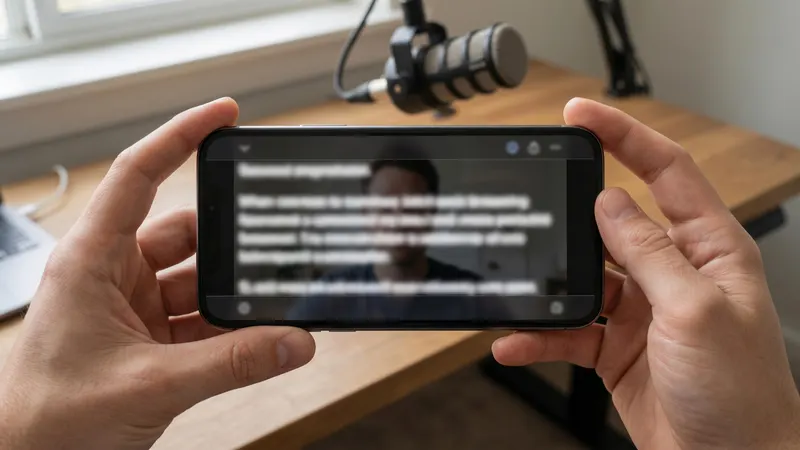
Podcasters often record vertical trailers and clips to promote episodes. On iPhone, TeleP scrolls your script next to the camera while you record, with adjustable speed and font size, a countdown, automatic captions and layouts for TikTok, Instagram and YouTube.

Record it on your phone
TeleP scrolls your script over the iPhone camera while you record, then adds captions automatically.
Podcast prompter checklist
- Intro, ad reads and outro written word for word; the rest as bullets
- Prompter at eye level near the mic (or under the camera for video)
- Speed set slightly below your natural pace
- No mouse clicks near the mic
- Ad read timed against its slot
Questions and answers
Do podcasters use teleprompters?
Many do for the parts that must be exact: intros, sponsor reads, calls to action and solo-episode segments. Conversations and interviews usually work better from bullet-point notes.
What is the best teleprompter for a video podcast?
One that puts the text close to the camera lens. On a laptop, a narrow browser window under the webcam works. With a separate camera, a tablet under teleprompter glass with mirror mode keeps your eyes on the lens.
How do I read a podcast script without sounding like I'm reading?
Write the way you talk, with short sentences and contractions. Mark pauses with line breaks, rehearse the script aloud twice, and set the scroll slightly slower than your natural pace so you can add emphasis.
Will a teleprompter make noise on my recording?
A browser teleprompter is silent. Avoid clicking a mouse near the mic; use keyboard shortcuts away from the mic or voice-follow instead.